 App Guides & Trends
How to Get Your Bumble Swipe Data (Step-by-Step)
Bumble now lets you request your full swipe history — outgoing yes, incoming yes, and more. Here's how to ask for it, plus what each number really means.
In this article7 sections
Skip to the Bumble Swipe Data Calculator →
You've spent months swiping on Bumble with the nagging feeling that something is off — matches that go nowhere, profiles that vanish from your queue, and zero way to tell whether the algorithm even likes you. The app shows you nothing. No score, no rank, no breakdown.
Here's what changed: Bumble now lets you request your raw swipe data — every right swipe you've made, every left, and (the interesting part) how many people swiped right or left on you. It's the closest thing you'll get to seeing your hidden desirability score, and the four numbers it returns will probably surprise you.

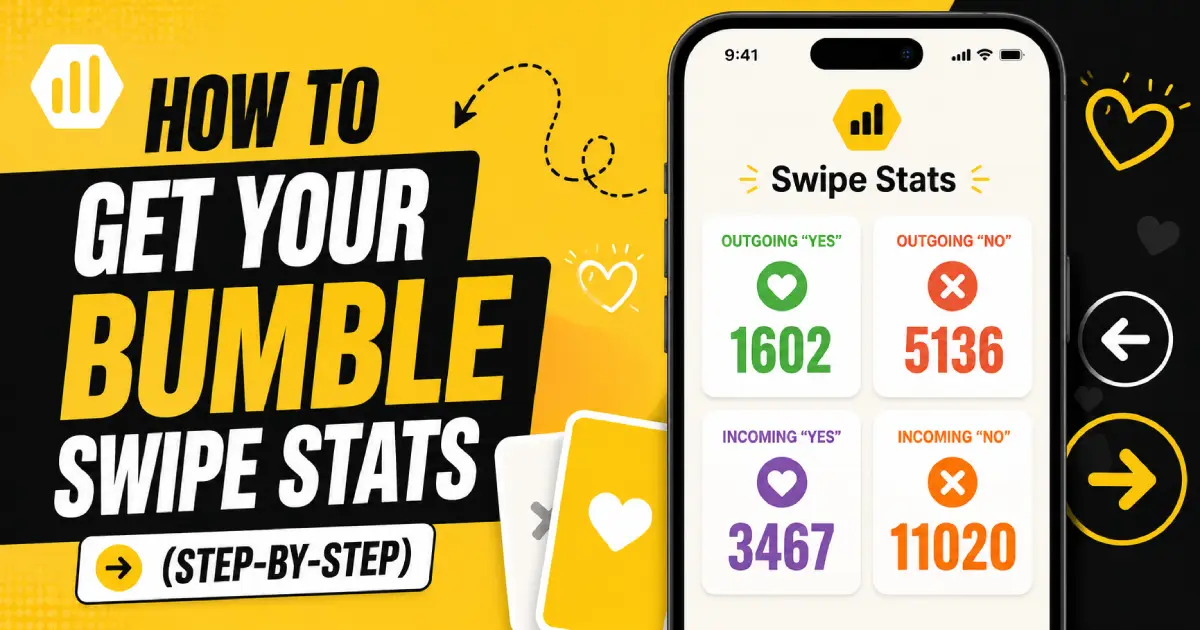
📊 What Your Bumble Data Looks Like
When the data lands in your inbox, the swipe section reads something like this:
| Metric | Example | What it means |
|---|---|---|
| ➡️ Outgoing Yes | 5,410 | Profiles you swiped right on |
| ⬅️ Outgoing No | 6,997 | Profiles you swiped left on |
| 🔥 Incoming Yes | 501 | People who swiped right on you |
| ❌ Incoming No | 8,193 | People who swiped left on you |
The pattern: most guys discover their Incoming Yes is 5–10× smaller than their Outgoing Yes. That gap is the real story — and the rest of this guide breaks down how to get the numbers, how to read them, and what to do when the math is brutal.
📸 Want a forecast before you wait 30 days for Bumble?
ProfileSharp scores your photos on the same signals the algorithm uses to decide your Incoming Yes rate. Upload your profile and get a per-photo breakdown in under a minute.
🔎 How to Request Your Bumble Swipe Data
The process is simple but slow. Bumble routes everything through a Subject Access Request under GDPR/CCPA-style data laws, which means a human reviews it and emails you a file.
Here's the exact path, based on Bumble's official support article:
- Open Bumble's Help Center. Either inside the app (Settings → Contact & FAQ → Help) or via the support site directly.
- Start a chat with the support team. You're looking for the contact form / chat — not the auto-FAQ.
- Submit the request. Use the exact phrase: "I'd like to request a copy of my data (Subject Access Request)." Keep it short. Don't list reasons — they don't need them.
- Verify your account. They'll ask you to confirm the email and phone number associated with your Bumble profile.
- Wait. Bumble has up to 30 days to deliver the file. Most people report getting it inside 1–2 weeks.
⏰ One catch worth knowing
If you deleted your Bumble account more than 28 days ago, your data is gone. Bumble wipes profile records after that window, so you can't recover swipe history from a long-dead account. If you've been planning to delete, request the data first.
🔬 Decoding the Four Numbers
The raw counts only matter once you turn them into ratios. Here's what each metric actually reveals about you and your profile.
➡️ Outgoing Yes — How Generous (or Thirsty) You Are
This is how generous (or thirsty) you are. Divide it by total outgoing swipes:
Outgoing Yes / (Outgoing Yes + Outgoing No)
In the example above: 5,410 / 12,407 = 43.6%.
What's "normal"? Most men land between 40–70%. Women typically sit at 5–15%. If your number is above 80%, the algorithm has flagged you as a low-discriminator and is likely showing your profile to less selective users — which is exactly the wrong audience.
⬅️ Outgoing No — Your Pickiness Check
Same math, opposite side. Useful mostly as the denominator for the calculation above.
🔥 Incoming Yes — The Only Number That Actually Counts
This is the number that actually maps to your desirability inside Bumble's algorithm. It's how many real humans saw your profile and chose to swipe right.
❌ Incoming No — The Reality Check
Painful, but useful. Combined with Incoming Yes, this gives you your real match rate:
Incoming Yes / (Incoming Yes + Incoming No) × 100
In the example: 501 / 8,694 = 5.76%.
The Harsh Truth: Your Incoming Yes rate is the single closest thing Bumble exposes to your hidden desirability score. Everything else is noise.
📈 What's a Good Bumble Incoming Yes Rate?
There's no official benchmark, but based on community data and reports from users who've requested theirs:
| Incoming Yes rate | What it means |
|---|---|
| 🔴 Under 3% | Algorithm is likely suppressing your profile. Photos are the #1 culprit. |
| 🟠 3–7% | Below average for men. Fixable with a serious photo overhaul. |
| 🟡 7–15% | Healthy range — most matches will come from being more active. |
| 🟢 15%+ | Strong profile. Focus on conversation, not visibility. |
Why this matters algorithmically: Bumble uses your right-swipe rate as a quality signal. Profiles with low Incoming Yes rates get shown less often, and when they are shown, it's mostly to less-active users. It's a feedback loop — and the only input you fully control is your photos and bio.
📊 Calculate Your Bumble Incoming Yes Rate
⚡ Why the Gap Between Outgoing and Incoming Hurts So Much
The data point that hits hardest is the ratio between Outgoing Yes and Incoming Yes. In our example: 5,410 vs. 501 — roughly 11 right swipes sent for every one received.
Wait, Really? Most men assume the gap is because women are pickier (true) or because there are more men on the app (also true). But here's the part nobody tells you: a low Incoming Yes rate tells the algorithm to stop showing your profile to highly-active women. The algorithm doesn't penalize you for being "ugly" — it penalizes you for a low conversion rate, regardless of cause. That's why the same face can perform 3× better with different photos.
The fix isn't surgery. It's photo selection. The Incoming Yes rate is dominated by your first photo — the one that decides whether someone swipes in 1.2 seconds or scrolls past you forever. We break down exactly what makes a first photo work in the primary photo guide: the #1 mistake 90% of men make.
✅ Quick Self-Check After You Get Your Data
- Calculated your Incoming Yes rate (use the calculator above)
- It's above 7% → focus on activity and openers, not photos
- It's below 5% → your first photo is the priority fix
- Your Outgoing Yes rate is above 80% → start being selective
- You've gone 28+ days without opening the app → the algorithm has already shelved you
- You can't tell which of your photos is dragging the average down → get a per-photo score
The data confirms what the algorithm thinks of your profile. Fixing what the data shows is the part Bumble can't do for you.
📸 Stop Guessing Which Photo Tanked Your Incoming Yes
ProfileSharp scores each photo individually so you know exactly which one to swap.
If you want to push the number higher before your next data request, start with how to get more matches on Bumble and the best dating profile photos for men. Then re-request your data in 60 days and watch the Incoming Yes climb.