 Messaging & Conversations
Bumble Notes: How to Message Before Matching in 2026
Learn how Bumble Notes work, when the paid message is worth using, and how to write a specific 150-character opener without sounding pushy.
In this article8 sections
Bumble Notes let you send a short message before a match exists. That creates a useful chance to be more than another silent like, but it also raises the stakes: you are spending a limited paid feature on someone who has not chosen you yet.
The answer is not to write a more impressive message. It is to use the Note only when the profile gives you something specific enough to make a natural reply easy.
Bumble’s current support guide says Notes were previously called Compliments, can respond to a photo, prompt, shared interest, or another admired detail, and have a 150-character limit. The recipient sees the Note when your profile appears in the People tab. A Note does not open a chat; both people still need to match.
How Bumble Notes Work Now

The current flow is straightforward:
- Open a profile.
- Select the Note option on the profile, photo, or prompt.
- Respond to that content or write a short message.
- Review the tone and send.
Notes are not a normal unlimited message channel. Bumble says they are included with Premium+ and can also be bought separately. Premium+ currently includes two Notes per week, and unused weekly Notes expire when the allowance refreshes. Availability and purchase options can differ by location.
That means every Note has an opportunity cost. Use it where attention and compatibility are both present.
When a Note Is Worth Using
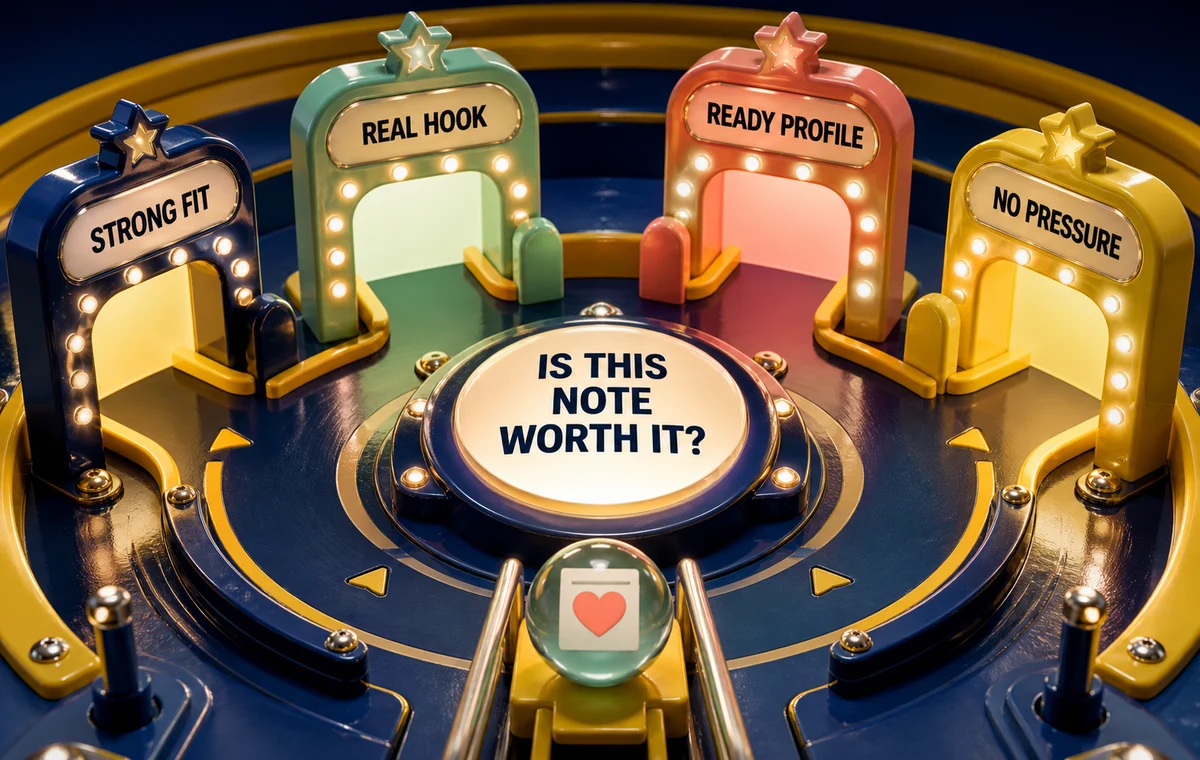
Send one when all four conditions are true:
- The profile is a strong fit: not merely attractive, but aligned with your real preferences.
- There is a concrete hook: a place, activity, opinion, object, or prompt detail you can reference.
- Your own profile is ready: the message may earn attention, but the recipient still decides based on your profile.
- You can write without pressure: the Note creates an opening, not an obligation.
Skip the Note when you only have a generic compliment, when the profile is nearly blank, or when you are hoping payment will compensate for an unfinished profile. The same rule applies to other premium features: visibility and attention amplify what is already there. The dating app premium guide explains that distinction in more detail.
Make Sure Your Profile Can Finish the Job
A Note may get someone to pause, but your photos and bio still decide whether they want to match. ProfileSharp shows which signals support the message and which ones create doubt.
The 150-Character Note Formula
Use three compact parts:
Detail + personal angle + easy question
Detail
Point to something visible in the profile. “The tiny ceramics studio in photo four” proves attention. “You seem interesting” does not.
Personal angle
Add one short reason the detail connected with you. This prevents the message from sounding like an interview question copied across profiles.
Easy question
Ask something the person can answer without research, a long story, or emotional labor.

Examples:
- “That pottery shelf looks dangerously professional. Did you make the blue mug too?”
- “Your Sunday-market prompt is very relatable. What is the one stall you never skip?”
- “I recognized that trail and immediately remembered the uphill section. Worth it at sunrise?”
- “Your ‘three-song road trip’ answer needs a sequel. Which artist gets the fourth slot?”
Each message is specific, light, and answerable. None asks the recipient to reward the sender for spending a Note.
What Not to Send
A look-only compliment
“You’re gorgeous” may be sincere, but it gives no conversational direction and could apply to almost anyone.
A résumé of your compatibility
Do not use 150 characters to list every shared interest. Pick the one with the best question.
A high-pressure declaration
“I never send these, so you must be special” turns a paid product choice into emotional debt. Leave the transaction out of the message.
A request for contact details
The Note appears before matching. Do not ask for a phone number, social handle, or date immediately.
A joke that depends on insult
Teasing a stranger’s photo, spelling, taste, or appearance can read as criticism without an established tone.
For more examples of safe, specific openers, see dating app openers that work.
Note, SuperSwipe, or Regular Like?
| Action | Best use | Main risk |
|---|---|---|
| Regular Like | Interest is real but no strong hook exists | Easy to blend into the queue |
| SuperSwipe | You want to signal stronger interest without writing | Intensity without context |
| Note | A specific profile detail creates a natural message | Wasting it on generic praise |
A Note is not automatically the “strongest” option. It is the most expressive one. Expression helps only when you have something worth expressing.
Run the Profile-First Check
Before sending, open your own profile preview and ask:
- Does my first photo make me immediately identifiable?
- Does my profile contain a detail they could use to reply back?
- Is my dating intention clear?
- Does the tone of my Note match the tone of my profile?
- Would the message still feel respectful if they do not match?
This last question matters. A Note is an invitation, not a claim on someone’s attention.
If you want to compare how pre-match messages behave on another platform, the OkCupid Intros guide explains a different system with the same core need for specificity.
Draft the Message Around the Actual Profile
Wingman can help you turn a real screenshot and its context into a concise opener, so the Note sounds observant rather than templated.
Frequently Asked Questions
Are Bumble Notes the same as Compliments?
Yes. Bumble’s support center says Notes were previously called Compliments.
How long can a Bumble Note be?
The current official limit is 150 characters. Bumble recommends keeping it to a sentence or two.
Does a Note start a conversation?
No. The recipient can see the Note when your profile appears, but you still need to match before chatting.
Are Bumble Notes free?
Bumble says Notes are included with Premium+ and can also be purchased separately. Products and availability may vary by location, so check the current offer shown in your account.
How many Notes come with Premium+?
As of Bumble’s August 2026 subscription guide, Premium+ includes two Notes per week. The allowance refreshes weekly and unused Notes expire.
Should I send a Note to every strong profile?
No. Reserve Notes for profiles where you see both meaningful fit and a specific conversational hook. A regular Like is better than a forced message.