 Safety, Privacy & Wellbeing
Dating App Privacy: 9 Things to Hide Before Matching
Protect your dating profile without making it bland. Use this 9-point privacy audit to hide risky details while keeping photos and prompts attractive.
In this article15 sections
- The Rule: Keep Personality, Remove Coordinates
- 1. Your Exact Workplace or School
- 2. Your Home, Building, and Daily Route
- 3. Your Full Name and Reused Username
- 4. Children and Identifying Family Details
- 5. Direct Links to Your Social Accounts
- 6. Photos Reused Everywhere Else
- 7. Badges, Documents, Screens, and License Plates
- 8. Your Real-Time Location and Schedule
- 9. Contact, Identity, and Financial Information
- A Better Way to Share: Use Stages
- How to Stay Attractive Without Oversharing
- The Five-Minute Dating Profile Privacy Audit
- FAQ
- References
A good dating profile should feel specific.
It should show your taste, energy, lifestyle, and enough personality to make starting a conversation easy. But specific does not have to mean searchable.
There is a meaningful difference between saying you work in healthcare and naming the small clinic where you finish every Tuesday night. One creates a conversation hook. The other gives a stranger a location and routine.
The goal of dating app privacy is not to become mysterious. It is to keep your profile interesting without publishing the details someone would need to identify your home, workplace, family, daily schedule, or accounts elsewhere.
The Australian eSafety Commissioner recommends minimizing details such as your full name, address, workplace, location, and information about children. It also advises against linking social accounts or reusing social-media photos that can be found through a reverse image search.
Here is how to apply that advice without draining the personality from your profile.
The Rule: Keep Personality, Remove Coordinates
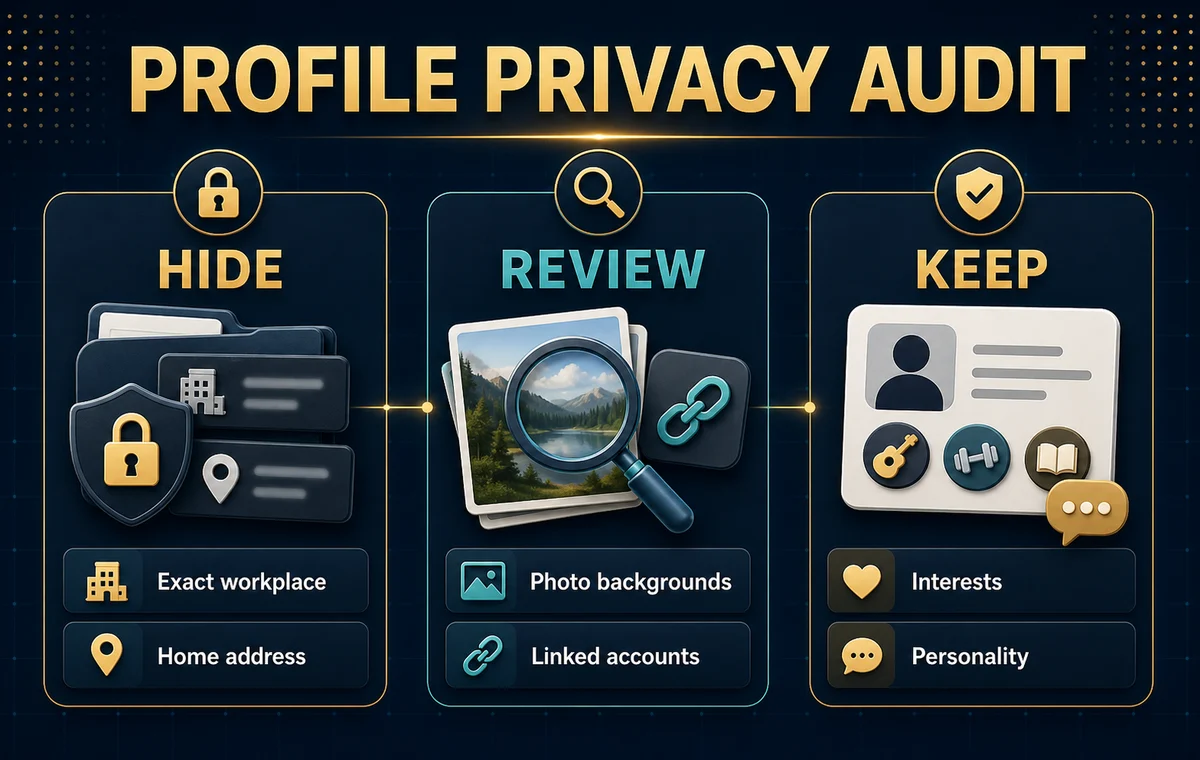
Before editing anything, sort profile details into three groups.
| Keep on your profile | Make less precise | Share only after trust |
|---|---|---|
| Interests, humor, values, dating goals | Job category, general area, recurring activities | Exact employer, address, phone number |
| Travel stories and favorite types of places | Neighborhood-level clues and schedules | Live location, family details, financial information |
| Photos that show how you spend your time | Background signs, uniforms, badges, plates | Private accounts and identifying documents |
This framework protects context, not just individual facts. A first name may be harmless. A first name plus a rare job title, visible company badge, and weekly schedule may be enough to find someone quickly.
1. Your Exact Workplace or School
Your career can be attractive profile material. Your employer usually is not necessary.
Instead of “Product designer at North Street Labs,” try “Product designer who cares too much about coffee-shop menus.” Instead of naming a small hospital, school, gym, or restaurant, use the field: nurse, teacher, trainer, hospitality, or healthcare.
Check the photos too. Uniforms, office signs, conference badges, lanyards, branded walls, and desk screens can reveal what the bio does not.
Keep the part that says something about you. Remove the detail that tells a stranger where to find you.
2. Your Home, Building, and Daily Route
A balcony view, building entrance, street sign, bus stop, parking permit, or repeated running route may feel like background noise. Together, those details can narrow down where you live.
You do not need to turn every photo into a blank studio portrait. Look for unusually precise clues:
- A readable street or building sign
- A house number or apartment label
- A unique view from your window
- A car parked beside your home with a visible plate
- A caption that names the same local route and time every week
City-level location is often part of dating. Exact coordinates and predictable routines do not need to be.
3. Your Full Name and Reused Username
Most people need only a first name on a dating profile. A surname, rare nickname, or username reused across public accounts can make the rest of your online identity much easier to find.
Search your dating-profile name or handle in a private browser. If the first page immediately reveals your employer, home area, relatives, and social accounts, use a less connected version on the app where possible.
This is not about pretending to be someone else. It is about choosing when a match receives the map to the rest of your life.
4. Children and Identifying Family Details
You can be honest about being a parent without posting a child's face, name, school, uniform, schedule, or regular location.
The eSafety Commissioner specifically recommends avoiding images or videos of children on dating profiles and limiting information about children in your life. A simple “proud parent” or the app's family-status field can communicate the important relationship fact without making a child part of a public dating profile.
The same principle applies to relatives. A charming family photo can still expose names, workplaces, school logos, or linked accounts belonging to people who did not choose to be visible there.
5. Direct Links to Your Social Accounts
Linking a public social profile can reveal far more than you intended: your surname, friends, tagged locations, workplace, old posts, events, and daily habits.
eSafety advises against linking dating apps to social-media profiles because that wider information can be used for catfishing, scams, or stalking. If you later choose to share an account, review its privacy settings and public history first.
Do not confuse discoverability with trust. A trustworthy dating profile can use clear, current, consistent photos without exposing an entire social graph.
6. Photos Reused Everywhere Else
Using the same main photo on a dating app, professional profile, and public social account creates an easy bridge between them. Both eSafety and the FTC discuss reverse image search as a way images can be connected or checked online.
You do not need a secret photo shoot. Use a recent image that is not already your public avatar everywhere else, or choose a different crop from the same day. Then check what is visible behind you.
Privacy is not a reason to use blurry, old, or misleading pictures. If your edits make the profile feel inconsistent, use the checklist in Are You Catfishing? 5 Signs Your Photos Look Misleading.
7. Badges, Documents, Screens, and License Plates
Zoom into every image before uploading it.
Look for:
- Employee badges and name tags
- Boarding passes, tickets, and shipping labels
- Computer screens or calendars
- Vehicle plates and parking permits
- Certificates with full names
- QR codes, barcodes, or membership cards
Cropping, blurring, or choosing a different frame usually fixes the problem without weakening the photo. The point is not that every visible code will be exploited. The point is that it adds nothing to attraction and is easy to remove.
8. Your Real-Time Location and Schedule
“In Barcelona this week” is different from posting the hotel, flight, and evening plan while you are still there.
Share travel stories after the fact. Avoid captions that reveal when your home is empty, where you exercise alone, or exactly when you finish work. If an app offers approximate location, incognito mode, or visibility controls, decide whether they fit your situation. eSafety recommends checking whether a platform lets you control who sees your profile and whether your location can be hidden or made approximate.
Your profile can say you love sunrise runs. It does not need to name the quiet trail and the days you run it.
9. Contact, Identity, and Financial Information
An address, personal phone number, identification number, banking detail, verification code, or financial screenshot does not belong on a dating profile.
Tinder's public safety guidance says not to give a match your address or financial information, to wait until you feel comfortable before sharing a phone number, and to take time before moving a conversation off-platform. The FTC's rule for romance scams is equally direct: never send money or gifts to a romantic interest you have not met in person.
If someone pressures you for personal or financial information, money, intimate images, or an immediate move off the app, slow down. The FBI's February 2026 warning notes that romance scammers seek personally identifiable information as well as money and recommends being careful with personal details shared across dating and social platforms.
Check the Photos Before They Go Live
ProfileSharp can help you review which dating photos look clear, current, and consistent. Do your privacy crop first, then make sure the safer lineup still shows personality.
A Better Way to Share: Use Stages
Privacy does not require withholding everything forever. It means matching the detail to the level of trust.
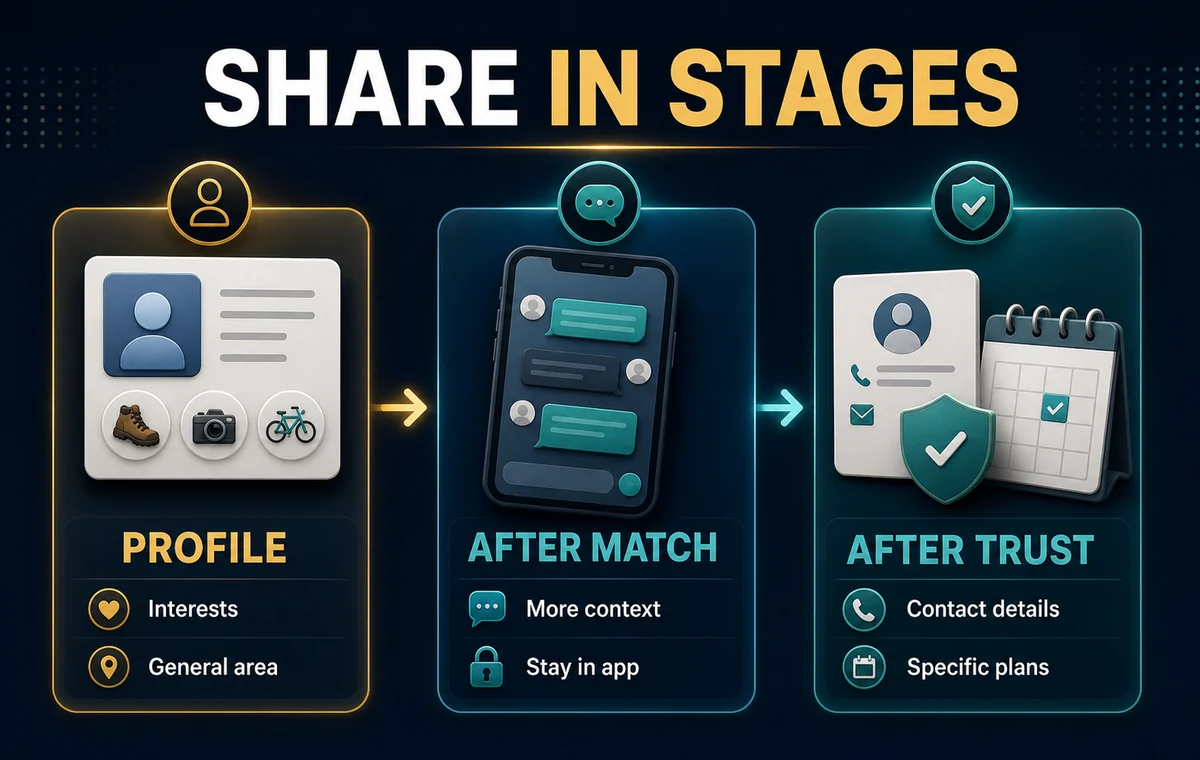
On the Public Profile
Share interests, values, dating intentions, general work field, city-level location, and photos that show real personality without precise identifiers.
After You Match
Share more context gradually. Keep the conversation on the app while you decide whether the person respects boundaries. The app's block, report, and unmatch tools remain easier to use while the conversation stays there.
After Trust Develops
You may decide to exchange a phone number, social account, workplace detail, or plans. Trust is not a timer. Someone asking does not create an obligation to answer.
This staged approach is useful because privacy is easier to loosen than to recover. Once a public detail connects your dating profile to your home or wider network, you cannot control who saved it.
How to Stay Attractive Without Oversharing
The safest profile is not the emptiest profile.
An empty bio, anonymous-looking photos, and vague prompts can create a different problem: low trust. Keep the details that make conversation easy while removing the ones that make identification easy.
Try these swaps:
| Too revealing | Safer and still specific |
|---|---|
| “ER nurse at Central Memorial” | “ER nurse, calm in a crisis, chaotic at trivia” |
| “I run River Path at 6 a.m. every Tuesday” | “Training for my first half marathon” |
| “Drinks at the bar under my apartment” | “Always looking for a great low-key cocktail bar” |
| Linked public account with live location stories | One recent lifestyle photo made for the dating profile |
| Photo with office badge and company wall | Similar portrait outside with a clean background |
If you need a stronger lineup after removing risky images, use How to Choose Dating App Photos That Get More Matches or How to Get Better Dating Profile Photos Without a Photographer.
Build a Profile That Feels Real, Not Exposed
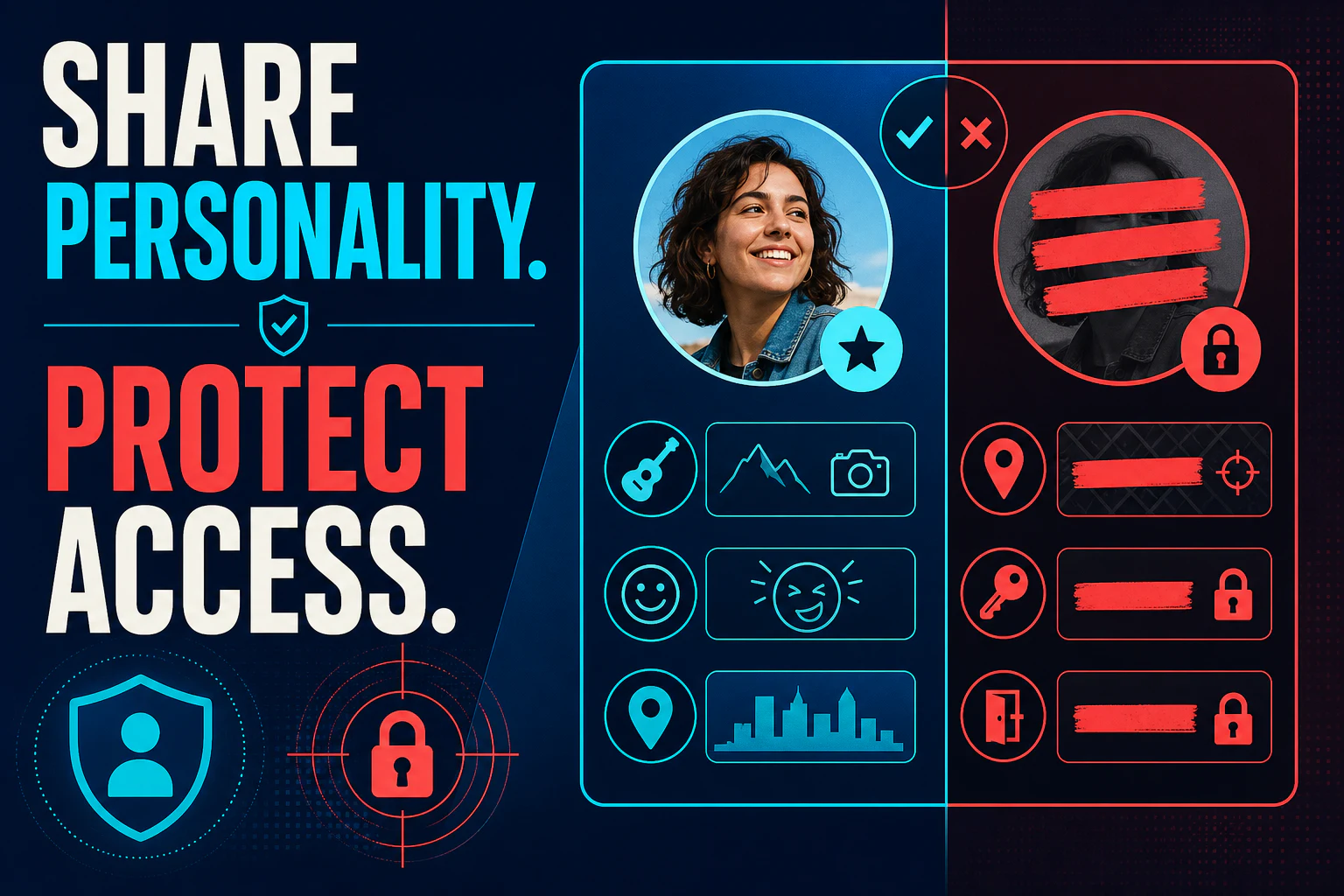
A clear face, current photos, social context, and specific interests create trust. Your employer, home, routine, and private accounts do not have to do that job.
The Five-Minute Dating Profile Privacy Audit
Before publishing or updating your profile:
- Read the bio as if you were trying to identify the person.
- Zoom into every photo, including signs, badges, screens, plates, and documents.
- Search your displayed name and any reused username in a private browser.
- Check whether your photos appear on public accounts.
- Review app visibility, location, linked-account, password, and multi-factor authentication settings.
- Remove details about children and relatives.
- Delay live travel posts and predictable schedule details.
- Ask whether each detail adds personality or only adds traceability.
Then look at the profile again as a potential match.
Does it still show what dating you might feel like? If not, add safer specifics: a favorite meal to cook, the kind of weekend you enjoy, a small opinion, a goal, or an easy prompt someone can answer.
FAQ
Should I use my real name on a dating app?
Use the name allowed by the app's rules, but avoid adding a surname or a reused public username when it is not required. A first name can support authenticity without connecting every public account you own.
Should I list my workplace on my dating profile?
Usually, a job field is enough. “Teacher,” “software engineer,” or “healthcare” can create context without naming the exact place you work. If the employer is central to your identity, consider sharing it later after trust develops.
Is linking Instagram or another social account safe?
It increases exposure because a linked account may reveal your surname, friends, tags, routine, and location history. Review its public information and privacy settings before sharing it, and do not treat a social link as required proof that you are real.
Can I post travel photos while I am traveling?
You can, but posting after you leave is more private. Avoid sharing a current hotel, flight, empty-home window, or exact solo plan in real time.
Does a verified badge make a profile safe?
No. Verification processes vary and usually prove something narrow, such as a photo matching the person completing a check. Read what dating app verification does and does not prove, and continue using normal privacy and safety judgment.